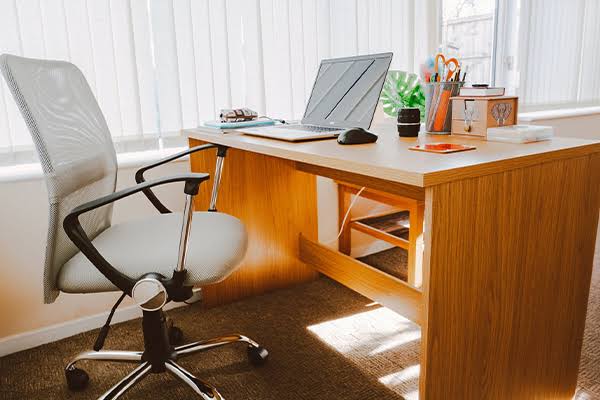
The Home Office That Doesn’t Actually Help You Work
The home office furniture market has expanded enormously with the growth of remote work, and along with it has come a lot of aspirational purchasing — standing desk converters, ergonomic chair upgrades, monitor arms, desk organization systems — that addresses the visible surface of productivity rather than the physical fundamentals that determine whether you can work comfortably for extended periods.
The research on office ergonomics is fairly clear on what variables actually affect physical comfort and productivity over a workday. Surprisingly few of these variables require expensive furniture.
The Chair Is the One Place Not to Economize
Of all home office furniture, the task chair is the item where quality investment has the clearest physical return. A poor chair creates cumulative discomfort that compounds over a full workday — low back pain from inadequate lumbar support, shoulder tension from armrests at the wrong height, hip discomfort from inadequate seat depth adjustment. These aren’t minor inconveniences; they’re the physical conditions that make working from home less sustainable than working at a properly outfitted office.
What to look for in a quality task chair: adjustable lumbar support (not a fixed lumbar bump, but an adjustable one that can be positioned to your specific spine curve), seat depth adjustment (the ability to move the seat pan forward or backward so the front edge doesn’t cut into the back of your knees), armrests that adjust in height and width, and a seat height range that places your feet flat on the floor with your thighs roughly parallel to it. These adjustments together — not any individual one — produce a properly fitted chair.
Desk Height: The Simple Math Most People Skip
The correct desk height is the height at which your forearms rest parallel to the floor when your shoulders are relaxed and your elbows are at approximately 90 degrees. For most adults this is between 27 and 30 inches — which is why many standard desks at 30 inches work for tall adults and create shoulder elevation (hunching) for shorter adults.
Before purchasing a sit-stand desk for its ergonomic reputation, verify that a correctly-sized fixed desk wouldn’t solve the problem for less. If your current desk is too high, a keyboard tray that brings the typing surface lower costs $30–$80 and solves the height problem without desk replacement. If the desk is too low (less common), desk risers or a desk replacement are the solution.
Monitor Position: The Overlooked Ergonomic Variable
Monitor placement has a significant effect on neck and upper back comfort that most people don’t connect to their furniture until they’re experiencing symptoms. The correct monitor position: top of the screen at or slightly below eye level (not the center of the screen — the top), at a distance of 20–28 inches from your face, and directly in front of you rather than at an angle requiring neck rotation.
A monitor arm ($25–$80 for a basic single-monitor arm) provides all the adjustment needed to achieve this position regardless of where the monitor started. The alternative — stacking books under a monitor — works equally well for height adjustment if the monitor can be tilted. Dual monitors require either both centered (angled inward symmetrically) or a primary center monitor with a secondary monitor to the side — never two monitors positioned equally to both sides of center, which requires constant neck rotation.
Storage and Cable Management: The Productivity Factor Nobody Talks About
A desk surface cluttered with cables, supplies that don’t have homes, and items from other contexts (household mail, unrelated equipment) creates a constant low-level cognitive load that research consistently links to reduced focus and increased perceived stress. This isn’t about aesthetics — it’s about the mental overhead of visual clutter in a workspace.
Cable management requires only cable clips, a cable management sleeve, or a cable tray under the desk — $10–$30 in hardware. A desk with only the items actually used daily within arm’s reach and everything else stored in drawers or on shelves outside the immediate work surface produces a measurably lower-distraction work environment. The organization investment is small; the ongoing cognitive benefit is daily.